Part three · Read the numbers
11One announcement
Metrics#
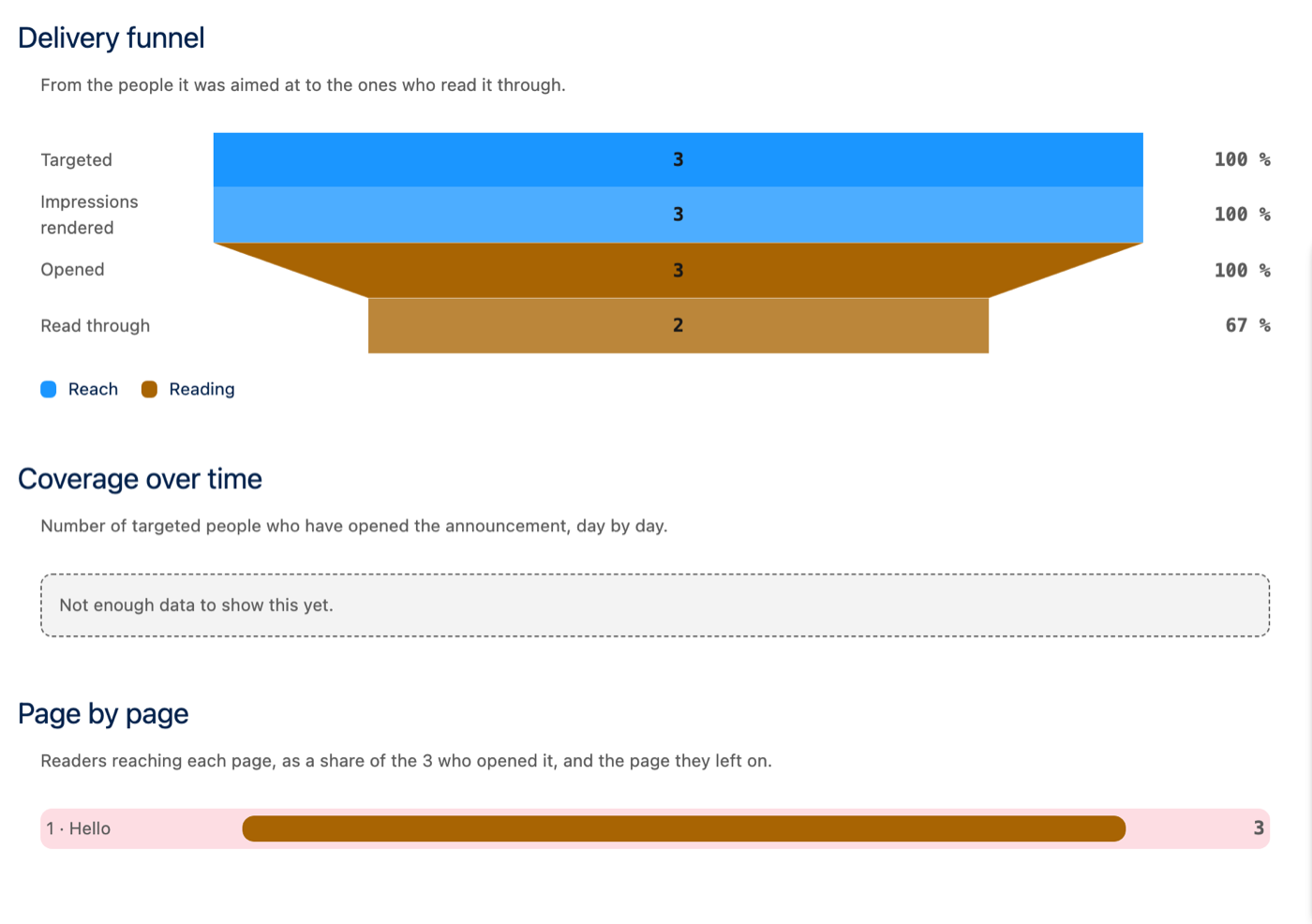
- Delivery funnel: targeted (the audience measured at publication), shown, opened, read through. The drop between the last two says whether the announcement was the right length.
- Coverage over time: how many targeted people opened it, day by day, from its second day live.
- Page by page: how many reached each page, with the page where readers left highlighted.
Readers#
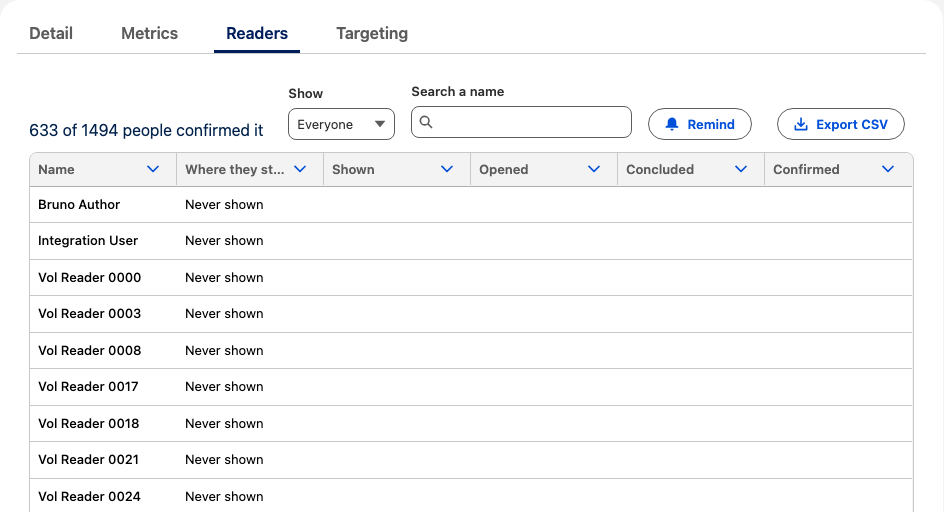
Who the announcement targets today and where each stands — never shown, shown but not opened, left on a page, finished, confirmed — with the times. Show filters, Search a name finds one person, Export CSV downloads the list. Only someone who can edit the announcement, or an administrator, sees it, and never on a draft.
Tell your employees that reading is recorded by name, and who can see it — or show totals only (section 5).
Remind#
Remind sends a Salesforce notification to everyone the announcement is still owed to: not shown yet, not opened, or not confirmed when confirmation is required. The notification opens the announcement directly. Only someone who can edit it can send one, while it is published, once every 24 hours.